Kia Ora!
This week we have been making animations using google slides.
Kia Ora!
This week we have been making animations using google slides.
Kia Ora!
This week we have been using google drawings to make a picture. To do this we go to our drive.
Then we click new, drawings and open it up.
1. At the top of the screen you click on the insert picture button
2. search the web for the picture you want
3. insert the picture
4. click on the picture and across the top bar there are 3 different things to use border colours, border weight and boarder dash.
5. Use these to make a border
Thank you for reading.
Here is my picture I made.

Hello! Kia Ora, Talofa!
This we have been learning how to make a gif on google slides.
To make a gif you follow these instructions:
Hi Kia Ora Goodmonring
This week I have been learning the times tables. We have been looking at the four times tables.
What do you know about the times tables?
Bye for now.
Hello! Kia Ora! Howdy! Talofa!
This term we have been super busy! We have been learning about reuse, recycle and papatuanuku (the environment).
We have been creating things for our school market. We were using things we found around the school. We went into our school forest and picked up sticks, leaves, and flowers. We used these materials to make things for the market. We also were allowed to use matierals we already had. In our class we had old magazines and paper. Our teacher and teacher aid had old jbibit pieces, tinsil, and other materials.
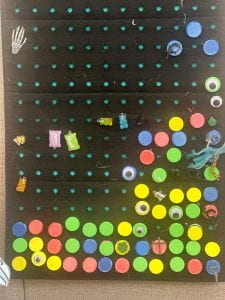
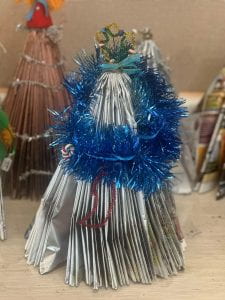


Have you ever ever done a market with reusable materials?
Kia Ora!
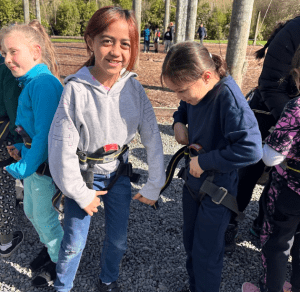
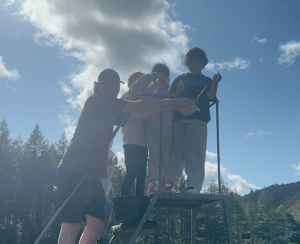
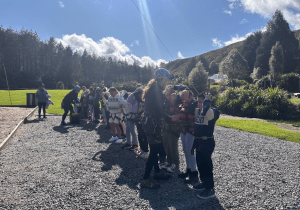
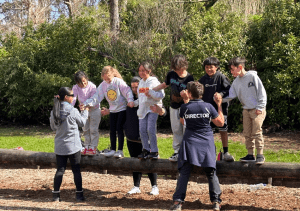
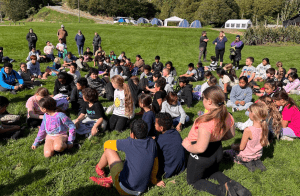
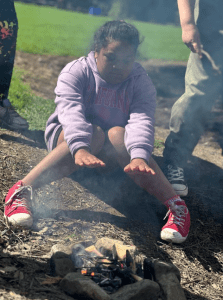
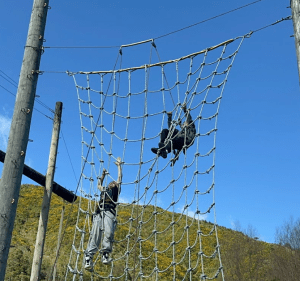
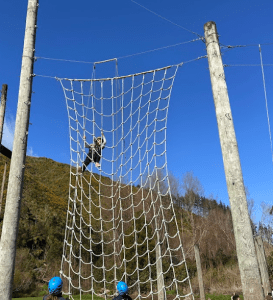
Last week we went to Makahika! When we were there we went on the high ropes course, the low ropes course, we made fire and cooked marshmallows, then we did an egg throw. The egg throw was not with real eggs. We were given materials to make a contraption to hold a water balloon. When we dropped the balloon it had to survive.
It was a very good day. Such a hot day and we had so much fun.
Have you ever been to Makahika?


Hello!
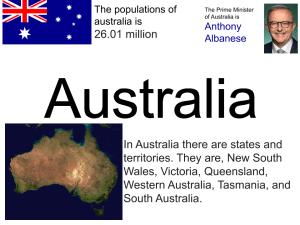
This week we have been looking at countries that are in the Olympics. There are 206 different countries. We all looked at New Zealand first, then we got to choose our own country to look at.
The teacher chooses Australia.
We used her copy of Australia and changed the details to make our own country.
We used our class site, went to her example, made a copy and changed the details.
We looked 2 finger tap on the image, Replace image, search the web to find a new picture.
Kia Ora! Talofa!
Today we have been learning about the Olympics.
The Olympics is in Paris France.
We have made a picture of ourselves with the Eiffel Tower.

Hi! Kia Ora! Talofa!
Today we have made a gif about us or things that we like.
First you need a new google slide document.
We need to have 3 slides. Press Control + M twice.
Think about things about you.
At the top if you slide,find insert image, then search the web.
Type in what you want on google images.
Go on each of the 3 pages to do this.
Every page needs one photo about you.
When you have all your photos on the 3 pages you are ready to publish.
Click file, share, publish to web.
Click start slideshow as soon as player loads and restart the slideshow after the last slide.
Click publish.
Click ok
Then click control c, control t and control v
Change 3000 to 500.
Click enter and it should work.
Can you make your own Gif?
